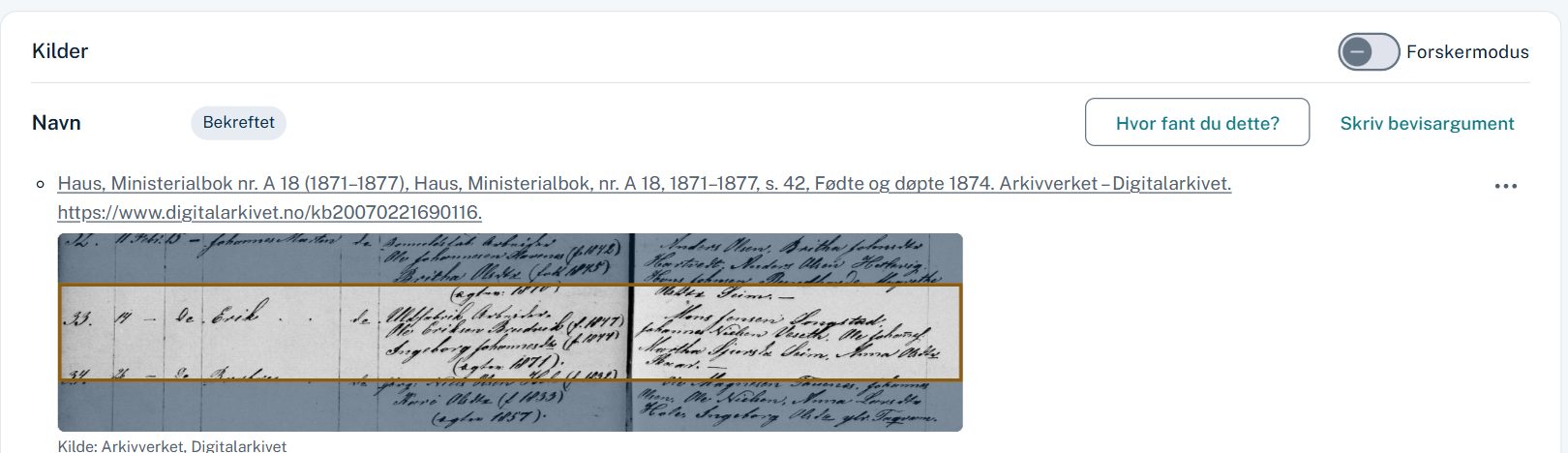
Sources
The source right under the fact
Paste a Digitalarkivet link and the citation fills itself in. The row in the church book is marked on the image of the page.
- Templates for parish registers, censuses, probate, mortgage registers and more
- One citation can document several facts at once
- Every fact gets a status: sourced, confirmed, disputed or proven
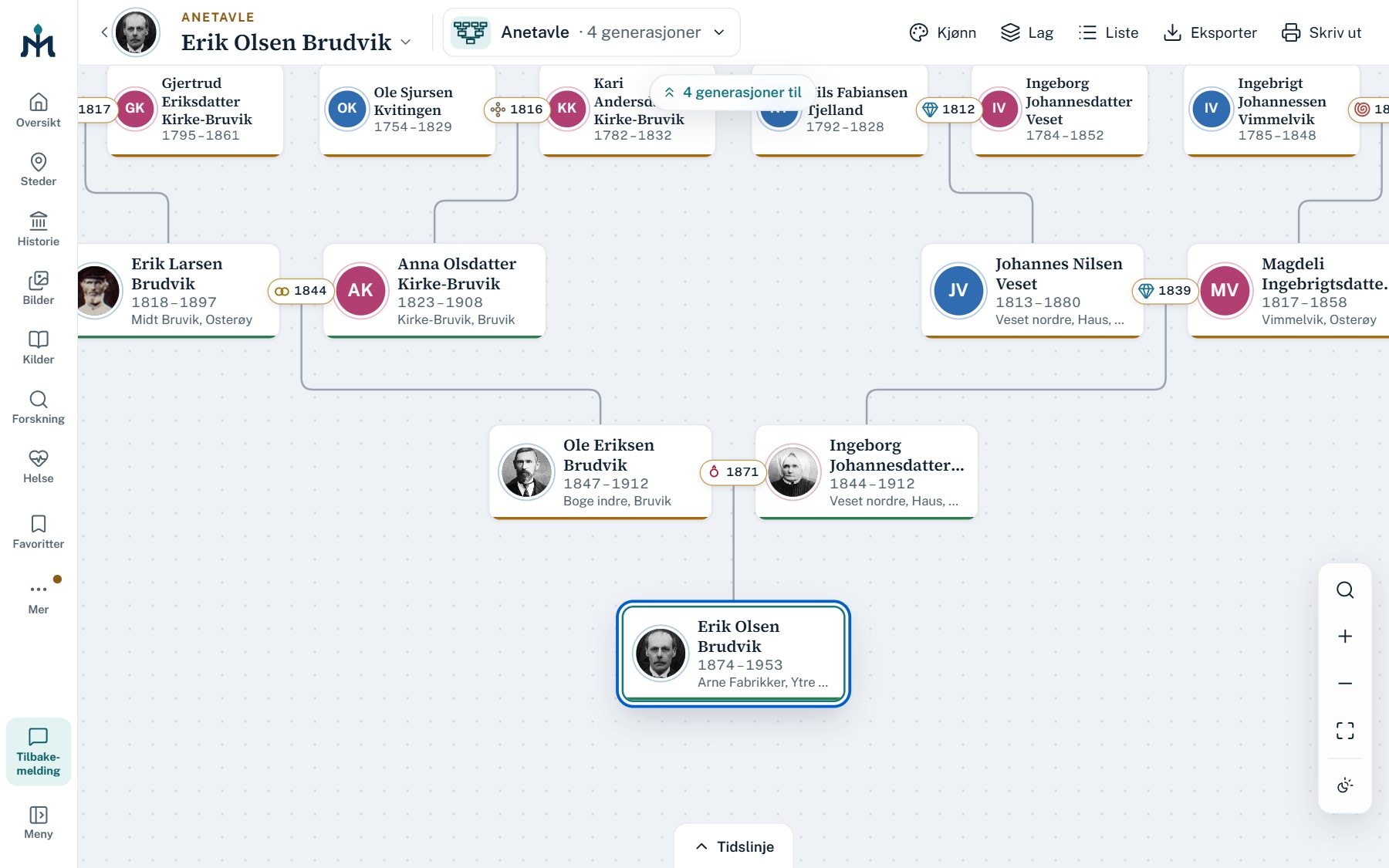
Charts
Pedigree, descendants, hourglass and partner chart
Cards with portrait, years and farm. Empty places show where to look next.
- The wedding year between each couple
- Repeated ancestors are marked when the family marries into itself
- Export to PDF, PNG and SVG – poster size too
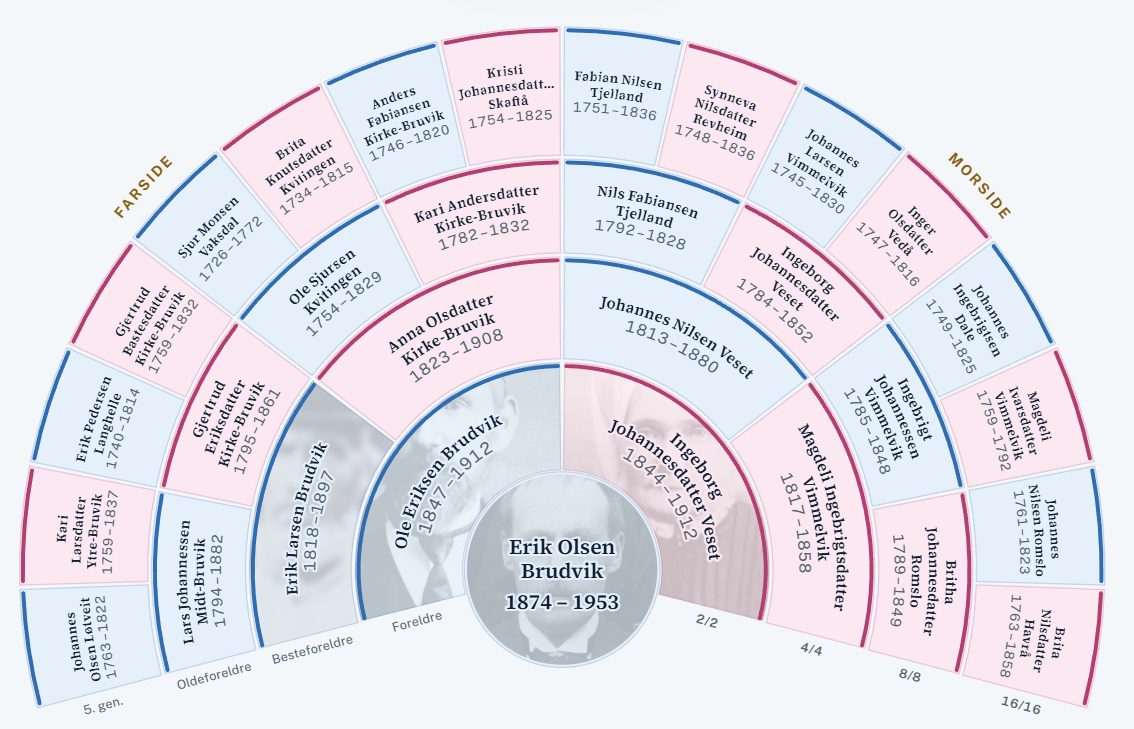
Fan
Five generations in one picture
Father's side and mother's side, opened 210, 270 or 360 degrees – and as a descendant fan.
- Coloured by documentation, sex or line
- The gaps show which ancestors are missing
- Click an ancestor to go on
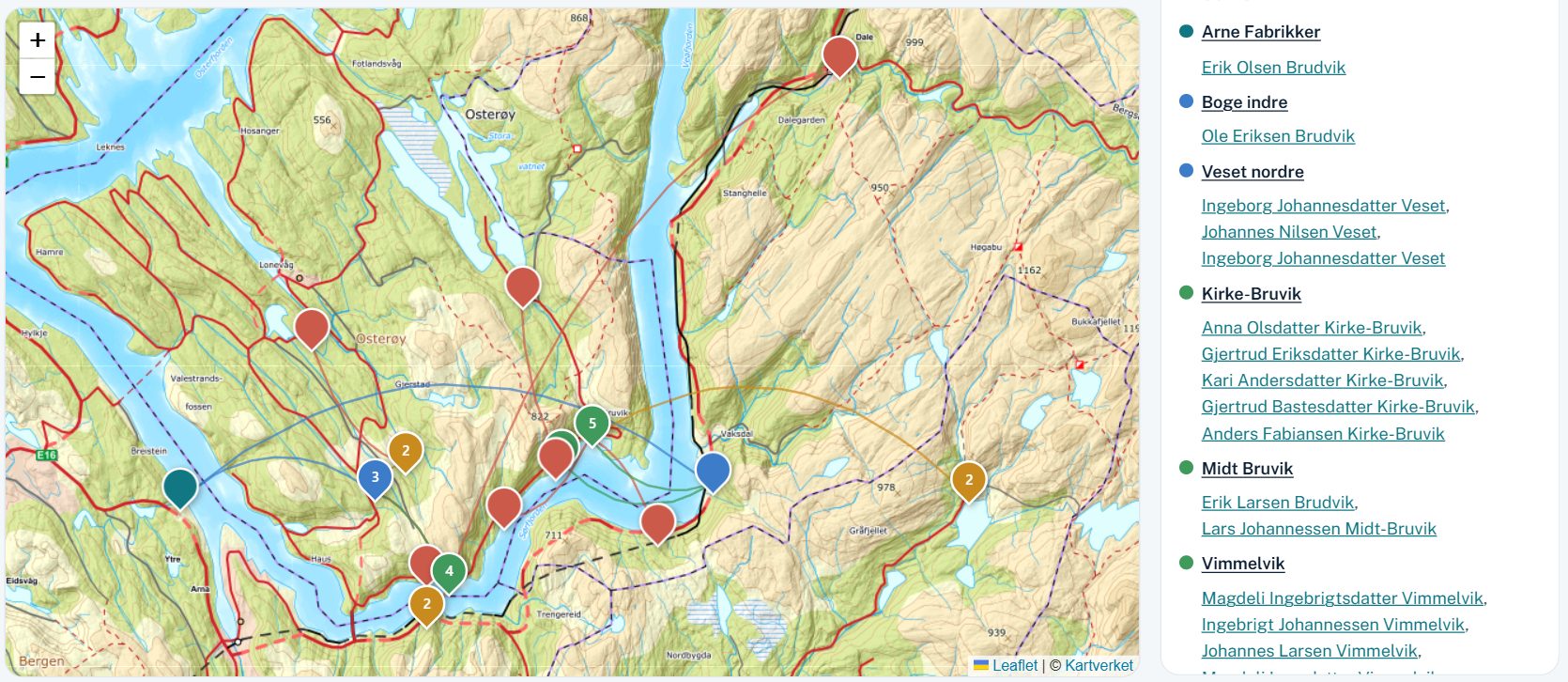
Ancestor map
Where the family came from
The farms and places the ancestors were born at, generation by generation, on the Norwegian Mapping Authority's map.
- Play the generations through time
- Places named as they were when it happened
- Outside Norway: OpenStreetMap
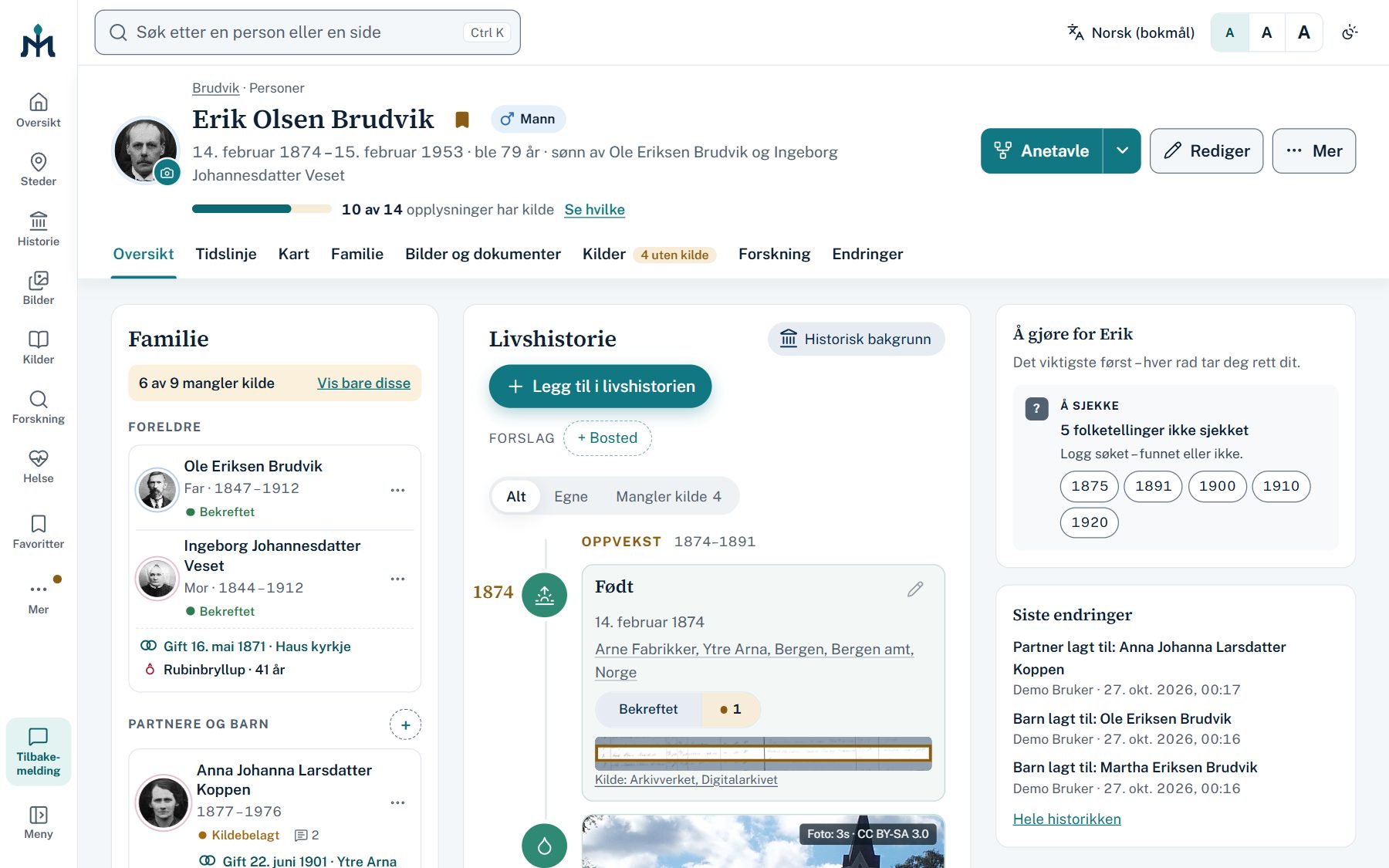
The person page
Everything about one person – and what needs doing
The family, facts with their source status, and a list of what lacks a source and the censuses nobody has checked.
- Names, sex and identity with their history
- Anniversaries and the age at every event
- A change history of everything done
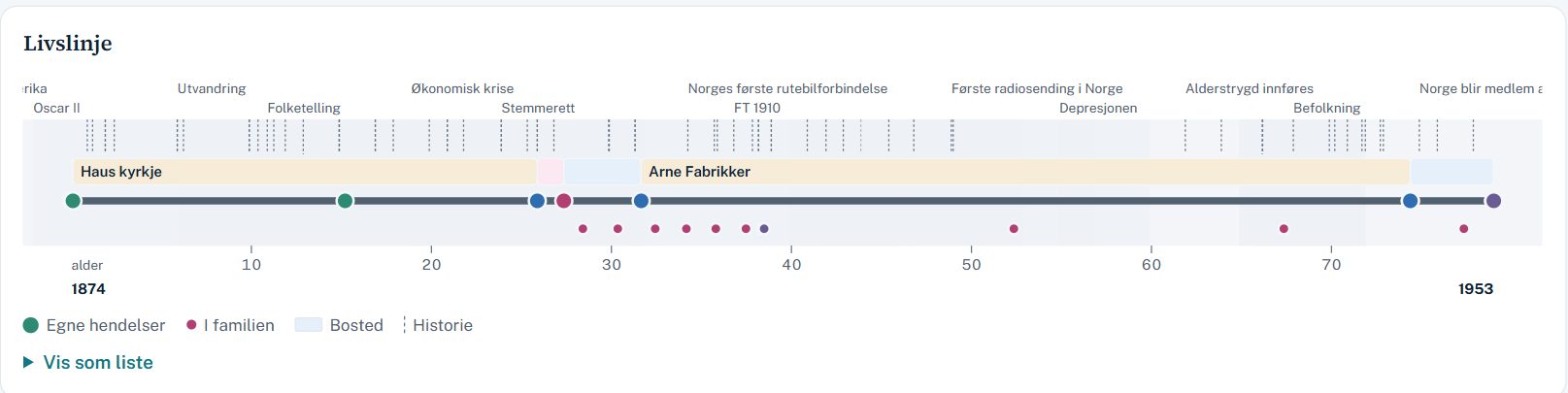
Life line
A life, and the times it was lived in
His own events, the family's and history's on one line – with sources for every historical event.
- Childhood, youth, adulthood and old age with their source status
- What to look for in each phase
- Historical events from Norway and the world
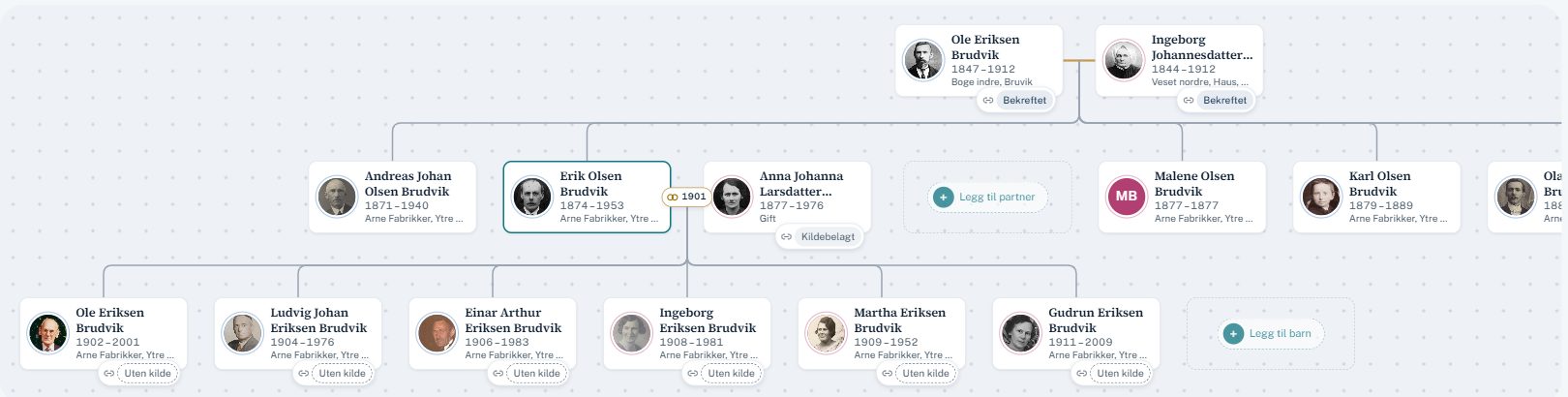
Family
Parents, siblings and children – with portraits
Every link shows how well it is documented, and empty places invite you to fill them in.
- Biological, legal and social parenthood kept apart
- Same-sex couples and every kind of family
- Add relatives right from the view
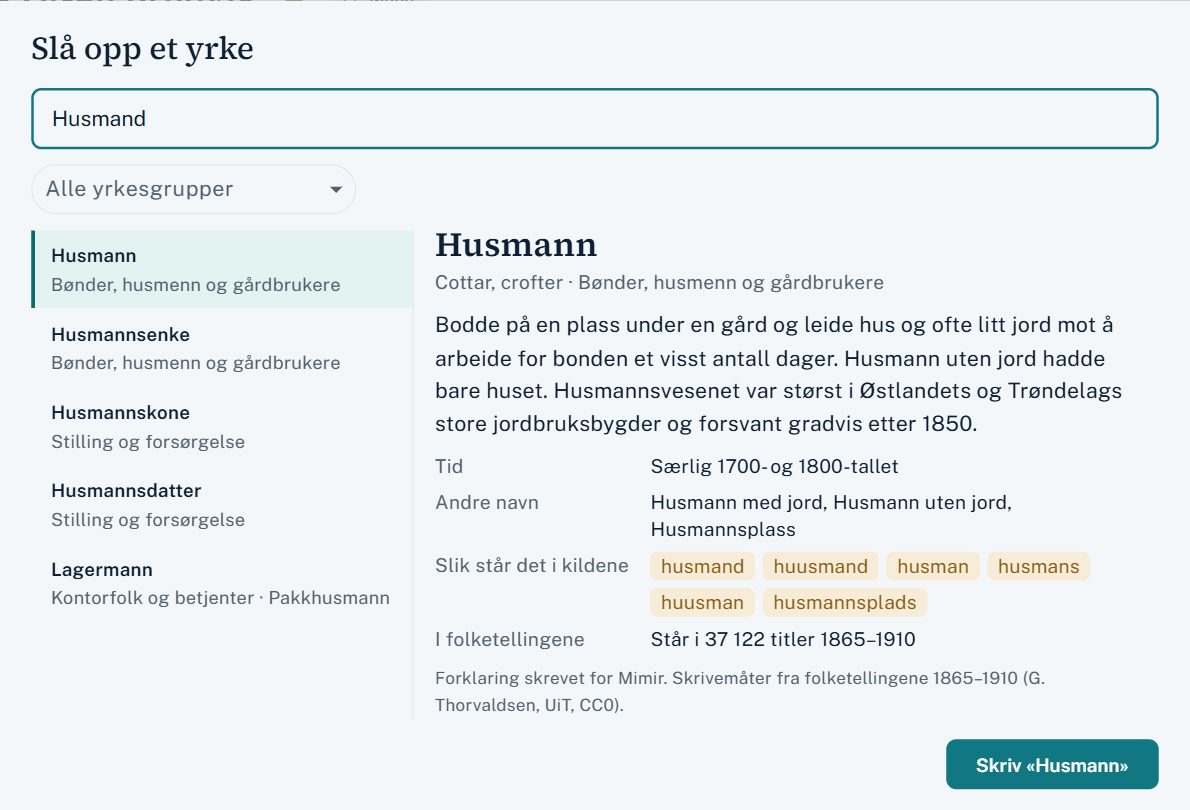
Old occupations
What was a føderådsmann, a bøkker or an inderst?
Write the occupation as the source has it, and Mimir suggests the headword with an explanation. More than a thousand occupations and titles – from officials and mining to cottars and servants.
- Old spellings and abbreviations find today's word – «Gaardbr.» becomes gårdbruker
- The source's text is always kept; the explanation comes on top
- The spellings of the Norwegian censuses 1865–1910
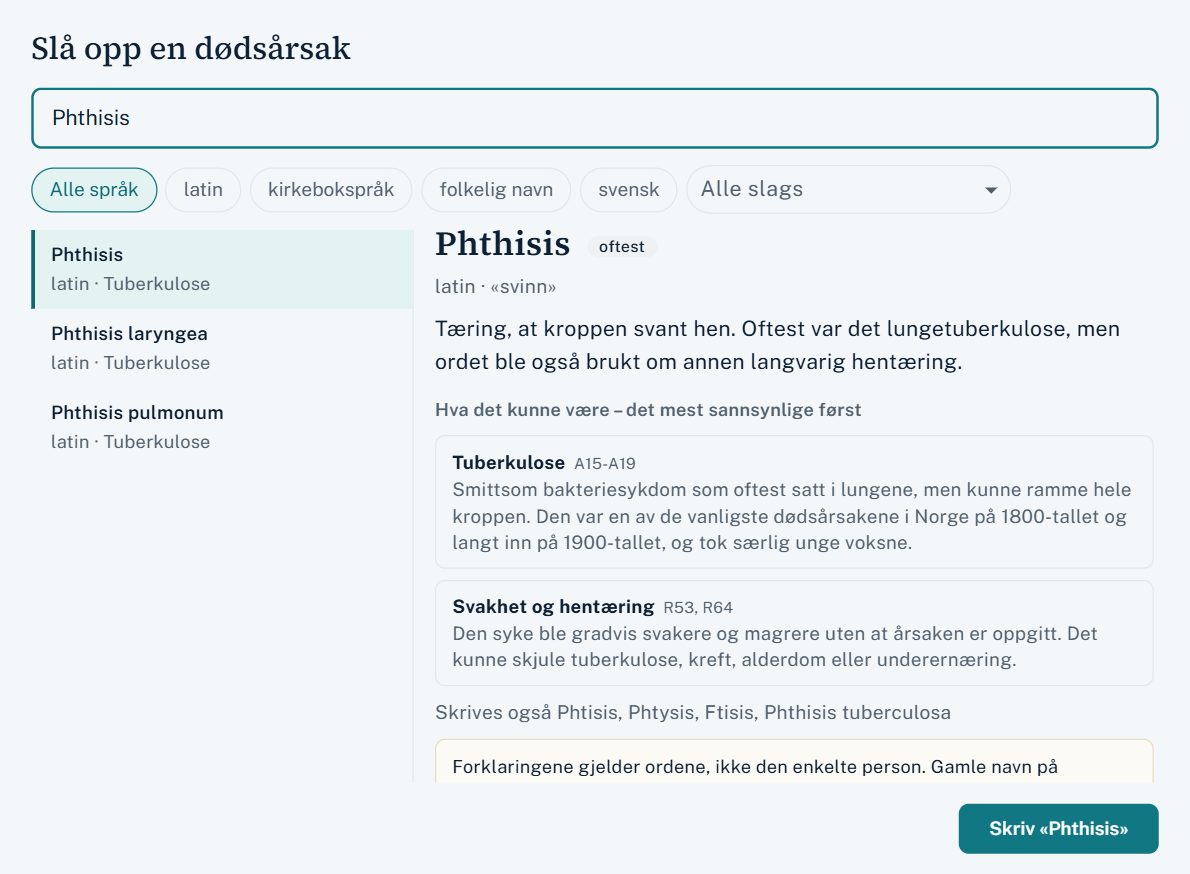
Causes of death
Latin and old church-book language, explained
«Phthisis pulmonum», «Brystsyge», «Bringesjuke» – Mimir tells you what the word meant, what it most likely is today and how certain that reading is.
- More than a thousand Latin, old Norwegian and folk names
- How certain the reading is – «krampe» in an infant says little
- Kept only on persons who have died
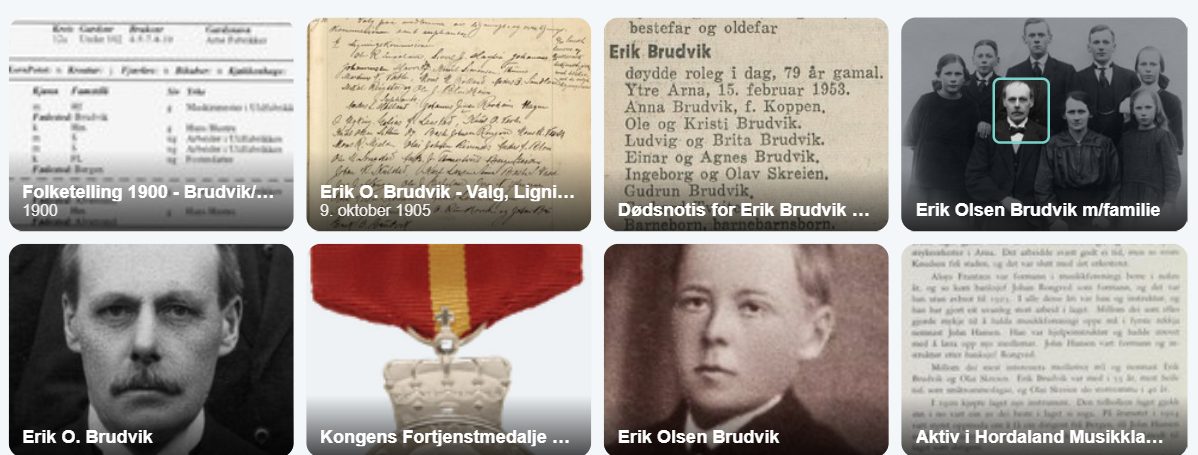
Photos and documents
Photos, documents and who is who
Upload photos and documents, tag the faces, and use excerpts from documents as sources.
- Location and other hidden data are removed
- Word and PDF become readable documents
- Download the photo with the names on it
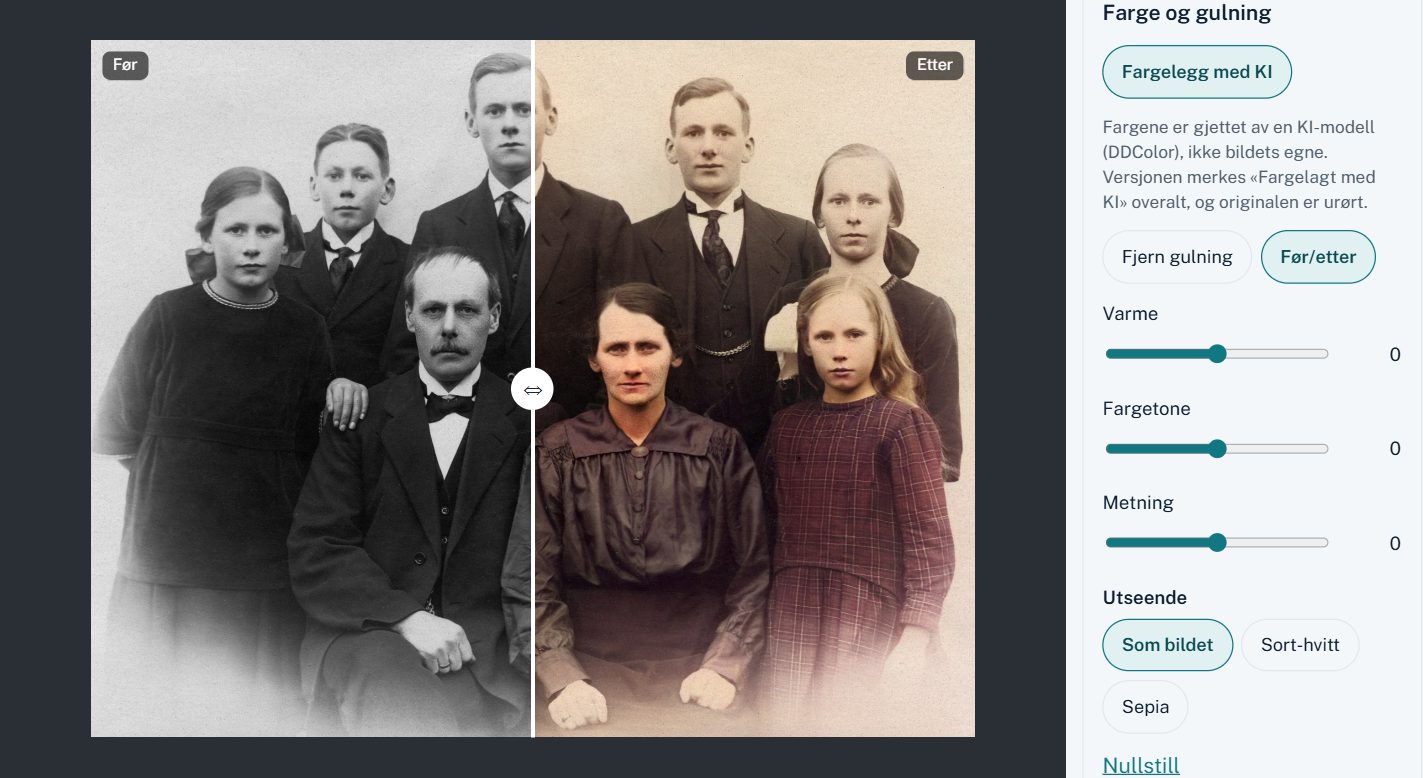
The image workshop
Old photos made readable – and the original untouched
Straighten, crop, take out yellowing and specks, or let AI give the black-and-white photo colour. Everything is saved as a version beside the original.
- A before/after slider and «Back to the original»
- Colouring with AI, marked «Coloured by AI» everywhere
- A reading aid for handwriting and faded ink
See it in use
Five short films
Under a minute each, narrated in Norwegian with Norwegian subtitles.
Read the narration (in Norwegian)
Hvor fant du dette? Lim inn lenken fra Digitalarkivet. Mimir kjenner igjen kirkeboka, og fyller ut type kilde, arkiv og dato. Skriv tittel og side, så bygges henvisningen etter malen for kirkebøker, mens du skriver.
Read the narration (in Norwegian)
Johanne døde i 1904. Skriv «Oslo» som sted, og Mimir foreslår Kristiania, navnet byen hadde det året.
Stedsregisteret kjenner navnene gjennom tidene, og hvilket herred, prestegjeld og amt stedet hørte til, for alle norske kommuner siden 1838.
Read the narration (in Norwegian)
Hver gård får sin historie: bruk og husmannsplasser, og hvem som satt der, generasjon etter generasjon. Hullene i rekka ser du med en gang.
Og alt kan skrives ut som en gårdshistorie med kilder, slik bygdeboka gjør det.
Read the narration (in Norwegian)
Viftediagrammet viser anene, farside og morside. Ett klikk, og tre generasjoner til kommer fram.
Eksporter som PDF i stort format, eller som bilde, med bakgrunn og våpenskjold om du vil. Klar for trykk.
Read the narration (in Norwegian)
Treets helse finner det som ikke kan stemme: en hendelse før fødselen, eller en mor som var for ung. Hver rad tar deg rett dit.
Det samme ser du på hver person: hva som må avklares, og hva som bør ordnes, med det viktigste først.
And more
The tools that do not fit in a screenshot.
- Ask your tree New Connect an AI assistant such as Claude to your tree and ask in plain language. It reads, with the sources – but changes nothing.
- Articles and AI marking New Write the family history right in the tree, with people, pictures and sources – published on the public tree, and clearly marked when AI has helped.
- Farm history Who held the farm, the holding and the croft – over time, and printed as in a local history book.
- Transcribe the source The church-book entry or a whole census household – every person, linked to the tree.
- DNA you own Matches, segments and haplogroups from your testing company – encrypted, yours alone.
- Family book and reports Family group sheets, ancestor lists, descendant reports and a whole book as PDF.
- Rights and credits Who owns the photo and under what licence – CC, public domain or permission. The right credit in the tree and when you publish, for many photos at once.
- The church book as evidence Frame the line in a photo of the church book, transcribe it, and use it as a source for everyone named there.
- Documents and letters PDF and Word become readable documents in the tree. Mark the passage about a person and use it as evidence.
- Album pages and duplicates Split a scanned album page into single photos, straightened. You are told when a photo is there already, and keep the best copy.
- Research log and tasks Where you looked, what you did not find, and what comes next.
- A health check for the tree Impossible ages, duplicates and unsourced facts – one click to the fix.
- Share with the family Invite them to view or contribute – or publish the deceased for everyone to see.
- In and out, no lock-in GEDCOM 5.5.1 and 7, GEDZIP with photos, import from TNG – and everything out whenever you like.